Automated E-mail Notifications
Firm administrators can now create automatically distributed daily logs of important activities through the E-Mail Notification Center. The following activities can be logged and distributed:
- Change of representative for an account
- Month end security edits
- On book security edits
- Security close price edit
- Fee bill recalculation
- Fee plan edit
- Fee product edit
- Portfolio deletion
- Representative deletion
- Transfer of account data
**Other activity types will be added over time**
Note: When accessing the E-Mail Notification Center you will see a list of activities that are already programmed to deliver notification emails per occurrence in real-time. The distribution lists for these activities can me modified by simply clicking on each activity type and subsequently adding or removing email addresses from the recipient lists.
Adding an activity
- Select “E-Mail Notifications” from the drop-down menu located on the Back-Office main screen.
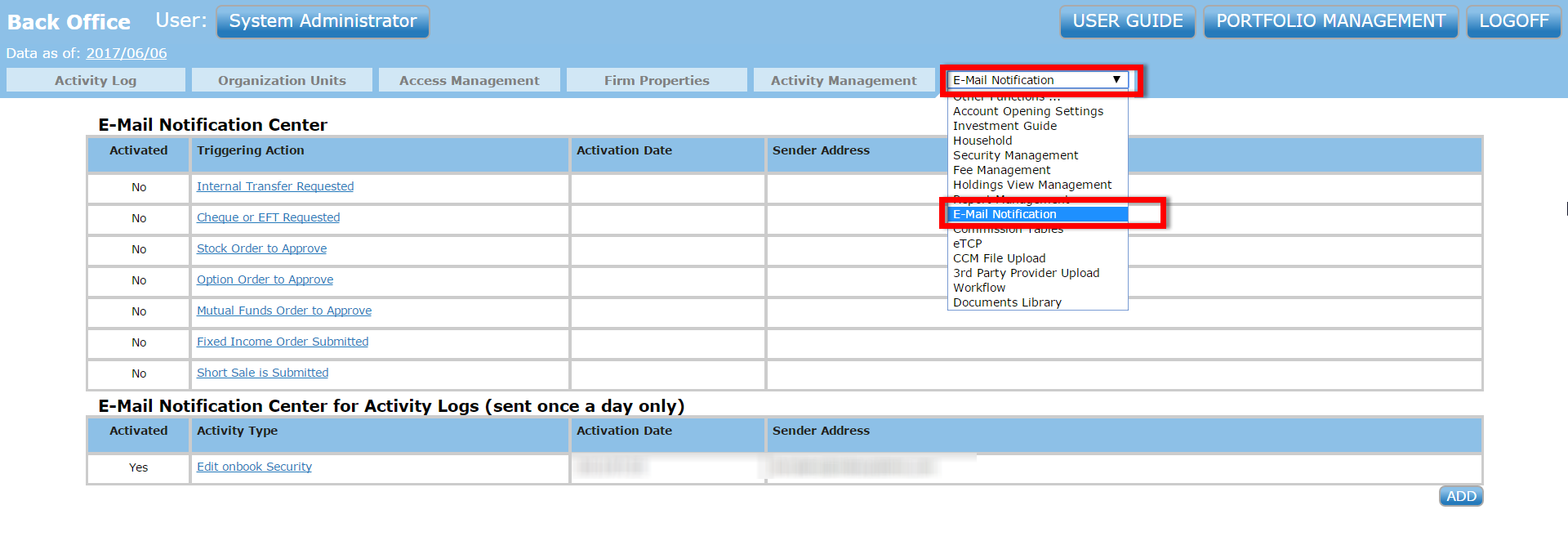
- The window will reopen in the E-Mail Notification Center. Click the
 button to create a new daily-log E-mail: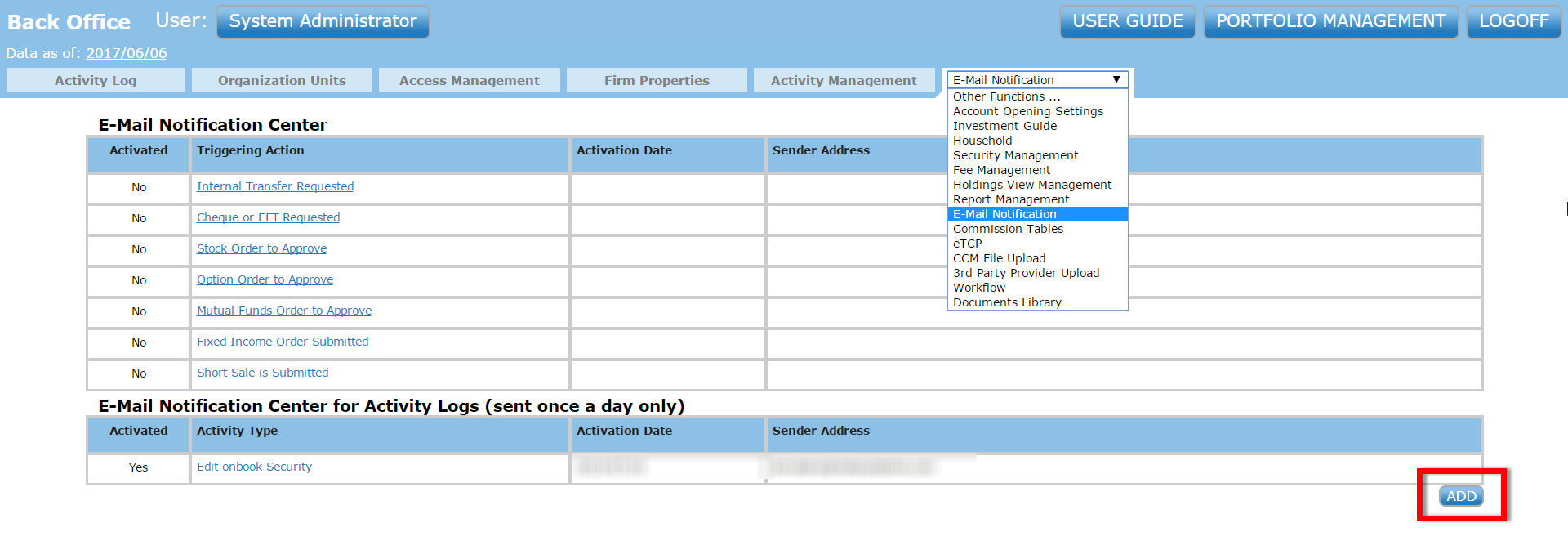
- The window will reopen with a blank notification log ready to be completed. Now select your activity-type from the drop-down menu. Users can customize the E-mail details that each recipient will receive (Subject, Sender Address, Recipients, CC’d Recipients). Remember to click “ACTIVATE” when finished or your changes will not be saved.
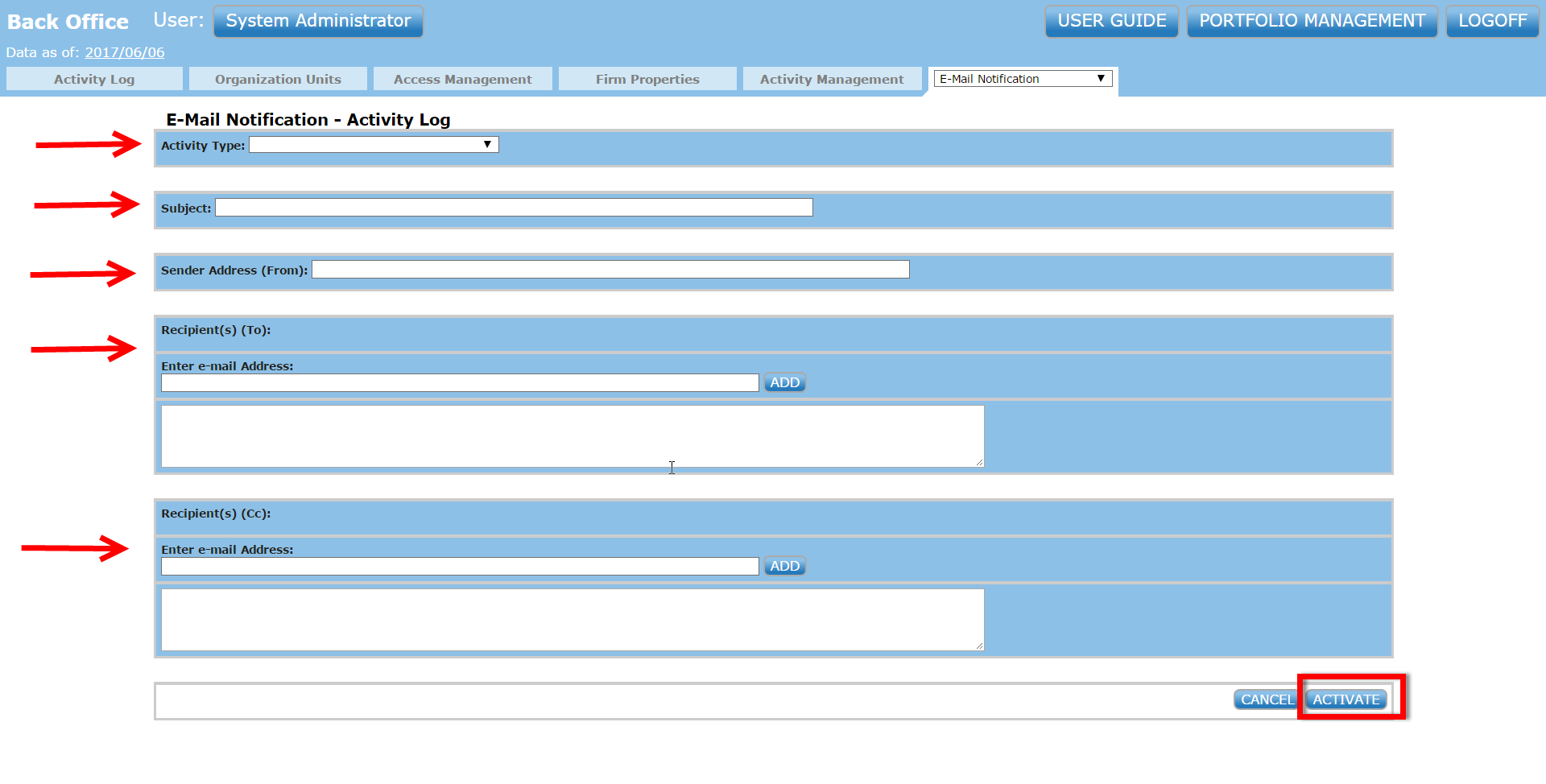
Note: You can add as many or as few recipients to each activity log as needed. Also, the recipient lists can be modified at any time by simply returning to the E-Mail Notification Center and opening an existing activity-log instead of creating a new one.