Cheque & EFT Requests
Cheque & EFT requests originate from within the Client Holdings screen for each individual portfolio. To access the cheque/EFT request tool, click the “Operation Request” button located at the bottom of the Left-Menu of any portfolio page
Note: Requests executed here are sent to back-office personnel for processing.
**All requests are logged and kept within the F-Engine platform and are not linked to any external sources**
Once an advisor executes a request, it will require approval by a delegated user whose access permits the approval or rejection of operation requests. To access the approval screen click the “Request Approval Screen” button located below the “Operation Request” button.
Request Types
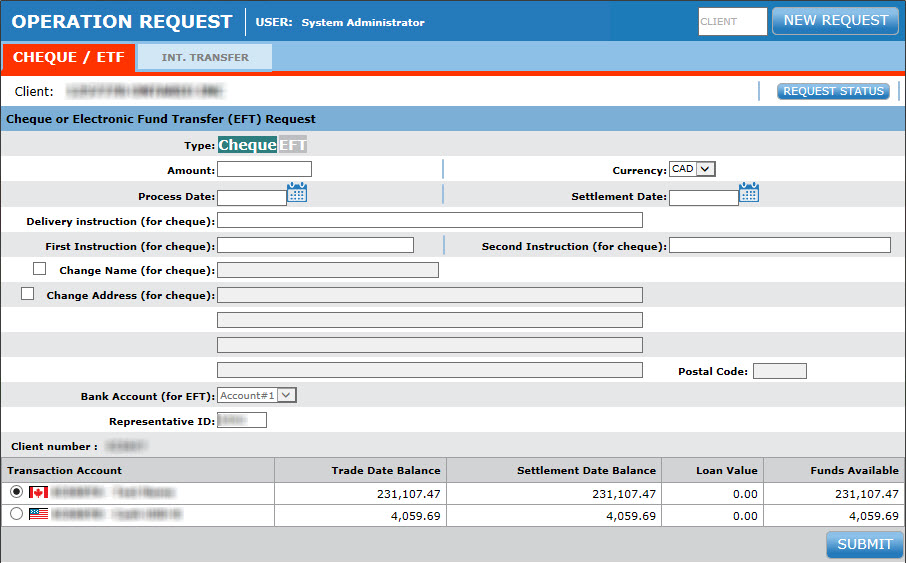
Cheque or EFT (Electronic Funds Transfer)
Request a cheque or EFT from a specific client portfolio.
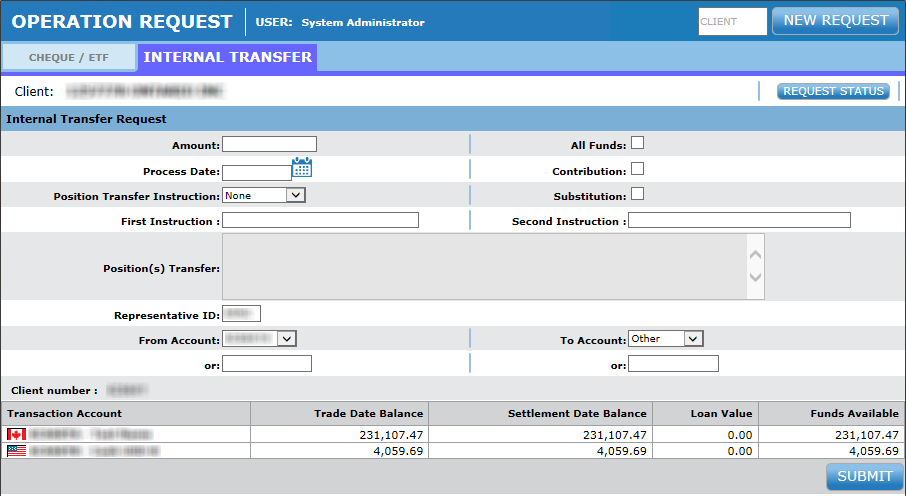
Internal Transfer Request
Request an internal transfer of funds or an existing position from one account to another for a specific client.
Request Status
The status of any operations request can be verified by accessing the “Status of All Requests” screen.
A new window will appear showing a list of all internal and external (cheque/EFT) operation requests and their respective status. Each status-type is color-coded.
|
Status |
Color |
Description |
|
Waiting |
Yellow |
Your request has been posted awaiting approval or rejection from an authorized user. |
|
Cancelled |
Red |
Your request has been cancelled. |
|
Processed |
Green |
Your request has been processed (in an external system). |
|
Rejected |
Red |
Your request has been rejected. See the “reject reason” for more details |
Note: Any request that has been processed, cancelled or rejected will disappear from the request status screens 7 calendar-days after the most recent status change date.
Client Access to Status of Request
Clients can view the status of their operation requests. Because access permissions are different for clients and professionals, clients can only see the current status of their request and no further information.
Advisors/Administrators can access detailed information regarding each request, including status notes and client-account information related to the specific request.
Status Update of a Request
To update the status of a transfer or cheque/EFT request
- Click the “Request Approval Screen” button in the Left-Menu.
- Select individual requests by clicking on the appropriate Request Number hyperlink
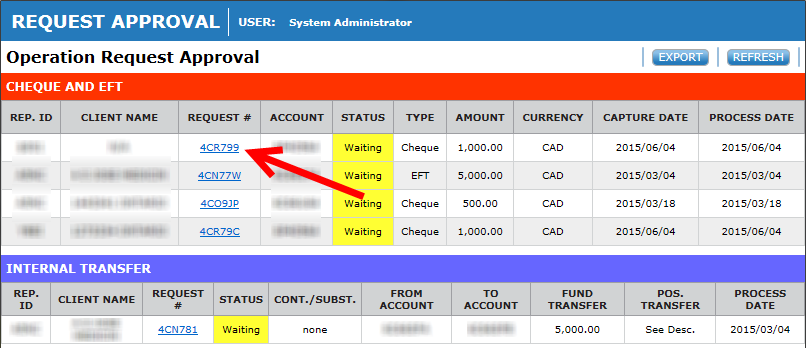
- Select the desired execution of the request. Be sure to enter notes if rejecting the request!
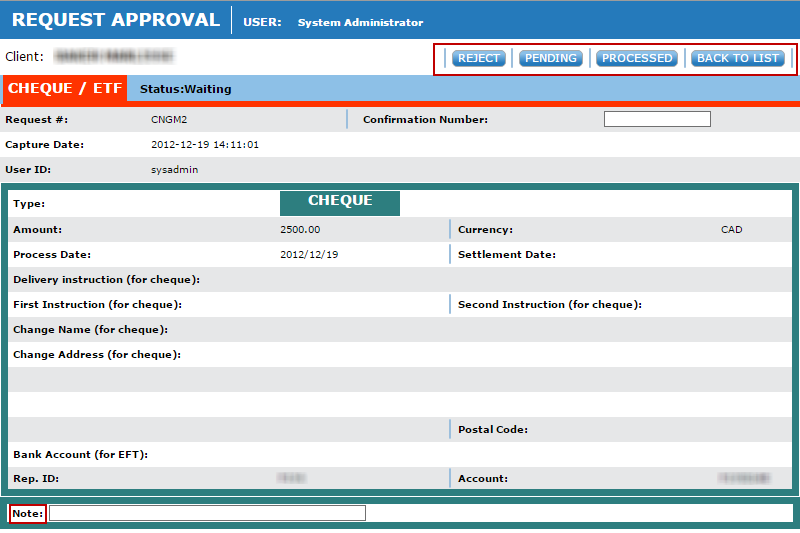
Note: You cannot modify a request, instead it is necessary to cancel it and re-issue the corrected request separately.